A dedicated iPad version of Ballistic (‘Ballistic’ App), a full-featured ballistics calculator for the iPhone, is available for the growing numbers of iPad users. As with the iPhone version, ‘Ballistic’ App for the iPad is “powered by JBM Ballistics” so it offers very precise solutions — typically, at 600 yards, JBM will get you within two or three clicks, provided you have good bullet BC data and reliable MV from your chronograph.
The ‘Ballistic’ App for the iPhone and iPad features a library of over 3,100 projectiles; the library includes the latest 2010 commercial data and G7 military coefficients from Aberdeen Proving Grounds. Along with calculating bullet trajectories, this software has many extra features. There are several different target cards so you can input shot placement and scoring is calculated automatically. There is also a range log (for recording shooting sessions), a mildot and MOA range estimator, and a convenient load database for storing your reloading recipes.
Special features in the iPad edition of ‘Ballistic’ App include: fully integrated split-screen ballistics, favorites, and range log; full-screen, hi-resolution charts; ballistics calculations update automatically as you edit; larger target sizes in range log; and screens can rotate. The iPad Ballistic App (release 2.3.7) costs $19.99. The standard version for iPhone and iTouch units, costs $9.99. To learn more about this software, visit ballistic.zdziarski.com.
While there are now over 330,000 iPhone apps, studies show that iPhone owners use their devices overwhelming for just three functions: Talking, Texting (or email), and Gaming. If you’re an iPhone or iPad owner looking for a decent gun-oriented game, check out RELOAD, a new shooting simulator for the iPhone, the iPad and the iPod Touch. The RELOAD App, released on March 31, 2011, costs $2.99 at the iTunes Store. A version for Android phone will be available later this year.
Featuring a wide variety of virtual firearms, RELOAD lets you train for everything from hostage rescue and sniper situations to Olympic-style shooting events. There are 17 levels and over 100 different milestone awards, medals, or badges. According to Mastiff, the App’s creator: “Master pistols and you’re ready for long gun training. Start at the rifle range, move to skeet shooting, and finally train to be a sniper. Whatever the weapon, the basics are the same: Identify targets, sight them in, take them down.”
While the game is mostly about shooting Bad Guys with a variety of defensive weapons ranging from Desert Eagle Pistols to military rifles, there are some target shooting scenarios where accuracy and precision are paramount. If you have an iPhone (and time to burn), you’ll probably find RELOAD worth its $2.99 price. It won’t make you a better shooter in the real world, but it can be entertaining.
Need a diversion? Looking for an interesting shooting game you can play on an iPhone or iPad as well as your home computer? The Guns & Ammo Point of Impact Shooting Game lets you select a firearm type, then shoot it for accuracy in “virtual ranges” modeled after the Scottsdale (AZ) Gun Club. No this is NOT another Zombie Game, or First-Person-Shooter kill-fest. It is NOT based on the Point of Impact book by author Stephen Hunter. Point of Impact is a skill-oriented, arcade-style gun simulator presented by the National Shooting Sports Foundation (NSSF). It lets you test your skills in target shooting scenarios, with a wide selection of virtual firearms and targets.
*WARNING: We are not aware of any issues with this software and it passed multiple virus scans for us. However, as with any software, installation of this program can take resources and slow your machine down. Also, a software conflict could cause other programs to crash or run more slowly. For these reasons, we recommend that you NOT install this software on a work computer. If you choose to install the computer version on your home computer, and you don’t like it, or you get bored with it, you should uninstall the program from your home PC or laptop.
Credit Research Assistant Edlongrange for sourcing this game report.
Huge Price Cut for Popular Gadget
If you’ve been waiting to purchase an e-Reader, now may be the time to open your wallet. Today, Amazon.com unveiled a new Kindle reader for just $139.00 — less than a third what the original Kindle cost. The introduction of Apple’s new iPad has forced Amazon to slash the price of its popular electronic book reader, which has been Amazon’s #1-selling product for the past two years. You may ask: “Why buy a Kindle when the iPad has web-browsing capability and a color screen?” Well consider these factors:
Kindle has a HUGE run-time advantage. An iPad can run about 10 hours before it needs recharging. Kindle can run for a MONTH between charges.
Books and newspaper articles are easier to read on the Kindle’s low-glare, black-on-white “virtual paper” screen.
The Kindle does NOT require an expensive data plan or web access contract. The Kindle has no connection fees, although you do pay a charge to download most recent book titles.
The Kindle is lighter and more rugged than an iPad. The new Kindle weighs just 8.7 ounces — less than a paperback book.
The Kindle has physical keys, and it is easier to flip pages on the Kindle without moving your supporting hands.
Two new Kindles, priced at $139.00 and $189.00 respectively, go on sale today, with delivery starting August 27, 2010. These new units are 15% lighter and 21% smaller than the current basic model, yet the screens offer higher resolution with easier-to-read text. The $139.00 Kindle is WiFi only, while the same-sized $189.00 version offers both WiFi and 3G cellular connectivity. Both the new compact Kindles offer a 6″ viewing screen. That is significantly smaller than the iPad screen, but the iPad starts at about $500, and you could easily pay $700 with memory upgrades. If you prefer a bigger screen, Amazon also offers a large-screen model, the Kindle DX, which costs $379.00.
Editor’s Note: Some readers may wonder what eReaders have to do with shooting. Well, there are thousands of outdoor, hunting, and shooting-related titles offered for Kindles. You can download an eBook for a fraction of the cost of buying the physical version. And the Kindle can hold up to 3,500 titles in a compact device that weighs less than a single paperback book.
Many of our readers use iPhones to run ballistics programs and to access travel maps and weather reports. We CAUTION readers who may be planning to purchase a new Apple iPhone 4 (Fourth Generation), first released on June 24th: Wait until the flaws are fixed.
You May Want to Hold Off on Purchasing a iPhone 4
We know many of you guys are anxious to get the latest iPhone 4… but we strongly advise you to wait a week or two at least. Or perhaps wait a few months until an improved version of the new iPhone is available. The reason for this advice is simple — the glass panels on the new iPhone are prone to cracking, and there is a serious reception problem on many of the latest generation of iPhones.
iPhone 4 Major Problems
We suggest readers WAIT before purchasing an iPhone 4, based on issues we observed ourselves, as well as thousands of reports that are flooding in. There are three main problems.
1. Many iPhone 4s have hardware-related reception problems causing dropped calls. This is apparently caused by hand interference with the antenna.
2. The iPhone 4’s front screen and back plate, which are composed of a new, ultra-hard Aluminosilicate glass, are very prone to cracking. We observed this first-hand.
3. Some iPhone 4 users are reporting yellow blotches and other abnormal screen discolorations. This is apparently a manufacturing defect.
Cracked Glass on Faceplate and Backplate
On June 24th, we went to the shooting range. One of our shooters, Katrina, had just acquired a brand new iPhone 4. She carried it in a protective belt holster. After a couple hours of shooting from a sitting position at the bench, she tried to make a call, only to find that the front glass screen had a full-width diagonal crack. This phone was never dropped, tossed, or abused in any way. While the screen needs to be replaced, Katrina’s iPhone is still able to make calls — the first one of which went to Apple customer support.
Many reports are surfacing about broken iPhone 4 glass. Unlike our experience with Katrina’s phone, most of the breakages appear to be on the back plate. You’ll find reports of the breakages in the Apple forums and on major tech websites.
Gizmodo.com reports: “Cases of broken iPhone 4’s backs are already appearing. This hasn’t changed from previous generations…. But the difference is that the iPhone 4 is all glass. If you drop any other phone, you have a 50% chance of breaking its screen. With the iPhone 4, the risk will always be there, no matter how it falls. It’s just more exposed to damage because of the material choice.” Another breakage report.
Reception and Dropped Call Problem
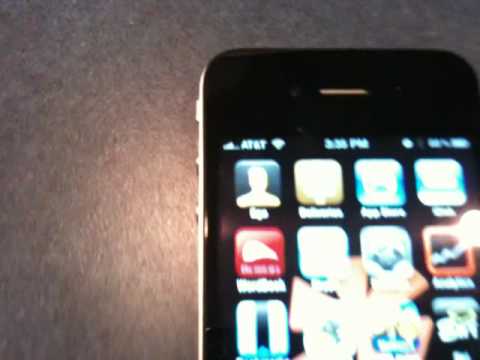
There is a widespread problem with iPhone 4s losing reception when held in the hand. The video below shows how just picking up the iPhone and holding it normally will cause loss of reception. The problem appears to be hand contact with the iPhone 4’s metal frame, which serves as the antenna.
An article in Gizmodo.com addresses the issue: “There’s no great fix for the iPhone 4 reception issues right now. We’re also pretty sure—and Apple confirms it—that touching the antenna does affect things—whether or not it has the final result of killing calls or speed of data connection.”
Rubber Bumper Partial Reception Fix?
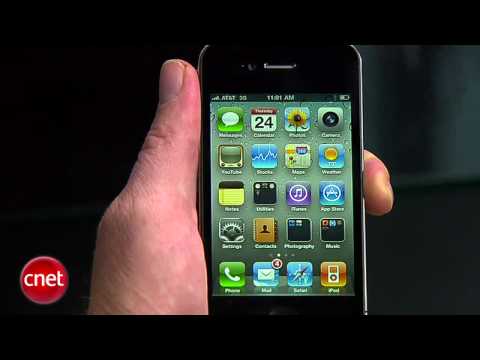
Here is a further CNET video report confirming the reception issue with multiple iPhone 4 test units. The problem is more acute with some users than others, and CNET did suggest that installing a $30 rubber bumper may help with the problem. Tests by igear360.com show that bumper can raise iPhone 4 downloading speeds, but uploading speeds still suffer substantially. Click here for iPhone bumper tests.


 A dedicated iPad version of Ballistic (‘Ballistic’ App), a full-featured ballistics calculator for the iPhone, is available for the growing numbers of iPad users. As with the iPhone version, ‘Ballistic’ App for the iPad is “powered by JBM Ballistics” so it offers very precise solutions — typically, at 600 yards, JBM will get you within two or three clicks, provided you have good bullet BC data and reliable MV from your chronograph.


 Need a diversion? Looking for an interesting shooting game you can play on an iPhone or iPad as well as your home computer? The Guns & Ammo
  Huge Price Cut for Popular Gadget
 Cracked Glass on Faceplate and Backplate